


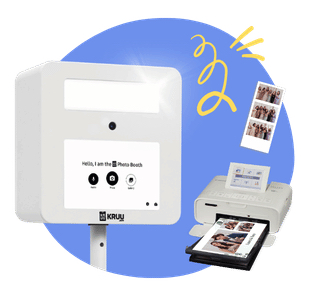
Kruu Basic photobooth
Starts at: $289
Type: Photobooth
Standard rental period: Entire event (max. 24 hours)
Personalized design: Based on template (included)
Print format: 2 strips (2″ x 6″)
Memories: 500+ prints (large event)
Props: Available (included)
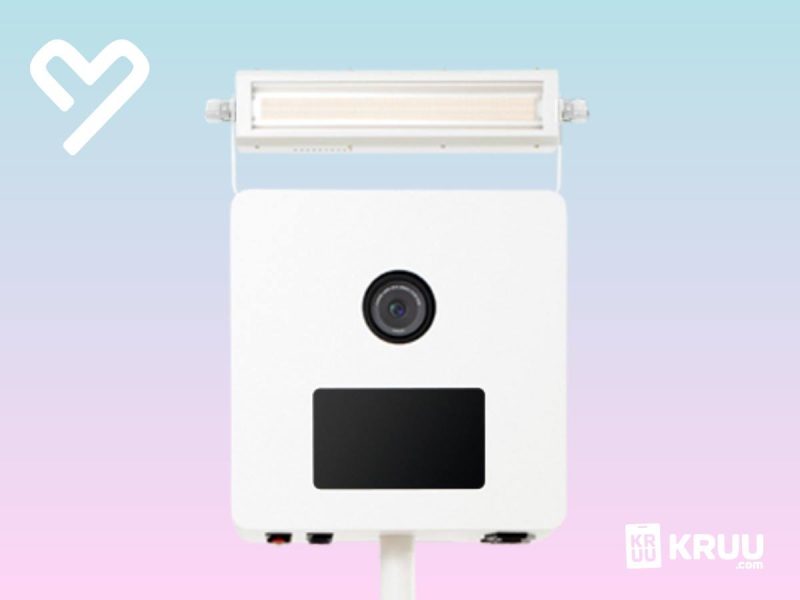
Camera: 4K / HD webcam
Extra options: Digital download after the event, Insurance
Detroit
Transport: Parcel delivery
Delivery area The continental US (excluding Alaska, Hawaii, Guam, Puerto Rico, The U.S. Virgin Islands and the Bahamas)
Delivery cost: included in the price
Book now!
Photobooth Basic – with standard printer
- Free UPS shipping & returns
- 12 gorgeous layouts & 100+ designs
- Your go-to layout, saved and ready
- Unlimited prints
Every Kruu Photo Booth rental includes:
- High-quality camera & flash
- Free UPS shipping & returns
- Fun paper photo booth props
- Easy 5-minute setup
- KRUU App with Instant Pic Download
What makes the KRUU Photo Booth the highlight of your event?
- Instant Pic Download: Take a photo, scan the displayed QR code, and save your pictures directly to your smartphone
- High-quality camera & flash: Every photo is captured in HD with perfect lighting with Live View!
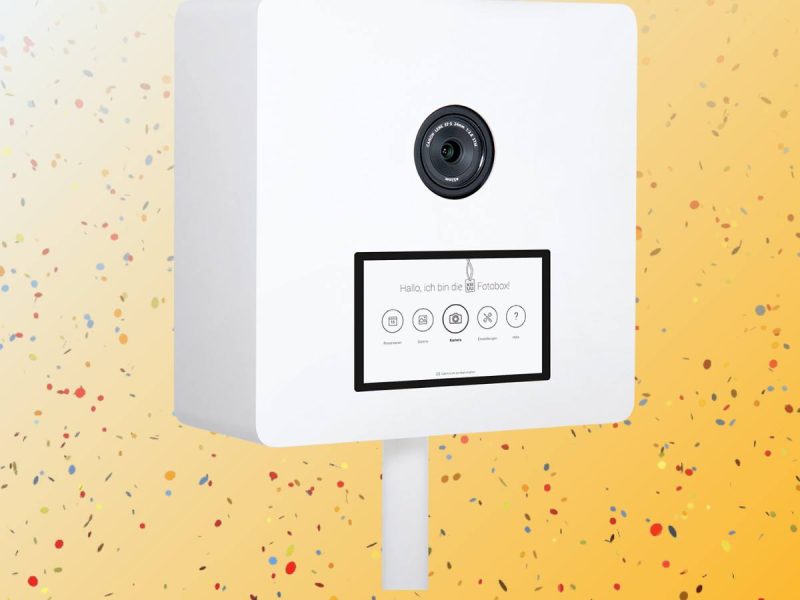
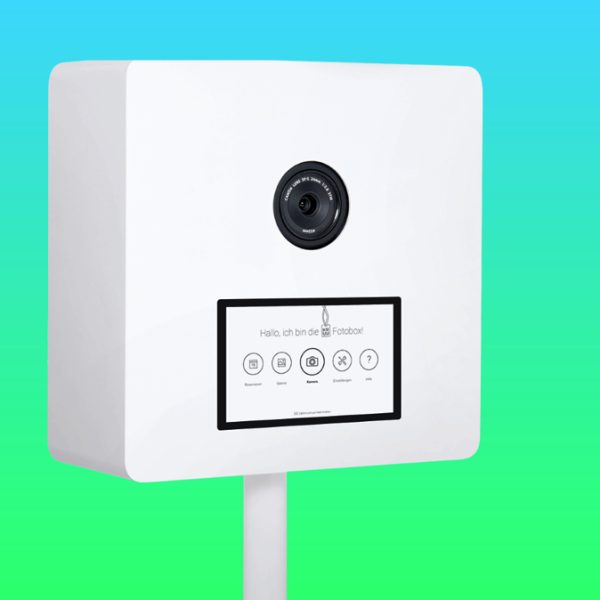
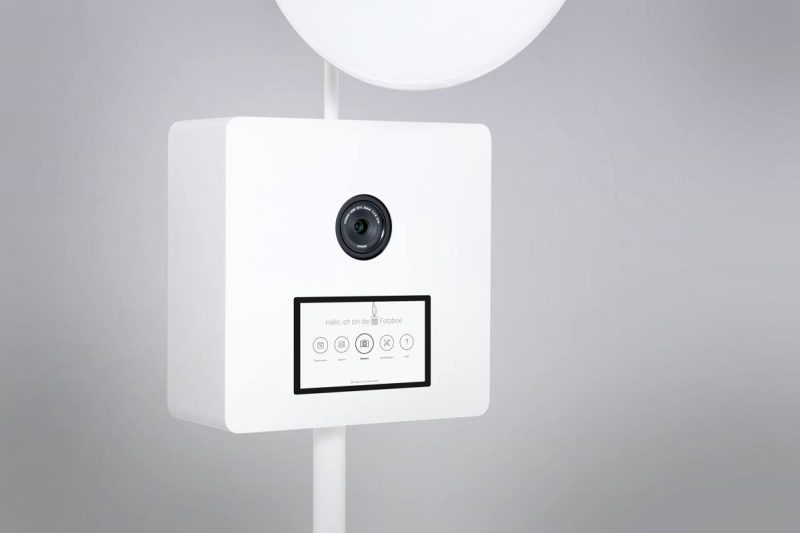
- Easy to operate: Large 10-inch touchscreen & online gallery in the KRUU app.
- Quick setup in 5 minutes: Don’t worry – instructions are included, but setup is so easy, you probably won’t even need them.
- Paper props for unique photos included: For even more photo booth fun.
- Plenty of printing materials included: We send you high-quality photo paper for over 300 4×6 prints
- Free & easy shipping: The photo booth arrives 1-3 days before your event.
Frequently Asked Questions about the Photo Booth
Have a question about renting a KRUU Photo Booth? You’ll find answers to the most common questions below
General Questions
What is the KRUU Photo Booth and what kind of events is it suitable for?
The KRUU Photo Booth is an easy-to-use, all-in-one photo booth that you can set up yourself. It lets you capture fun moments at your event and, depending on your chosen package, print photos instantly for your guests to take home. It’s a great addition to almost any occasion, including weddings, birthdays, corporate events, anniversaries and celebrations of all kinds. We deliver everything directly to your preferred address, and the photo booth can be set up in around five minutes. If you need a hand, our US-based Customer Care team is always ready to assist.
How do I book a KRUU Photo Booth?
Booking your photo booth is quick and easy. Click the “Get your price” button on our website and enter the date of your event. If a photo booth is available, you’ll immediately see the prices and details of our three rental packages: Lite, Basic and Premium. Choose the package that suits your event, click “Book Now” and follow the steps to complete your booking.
What’s the difference between the Lite, Basic and Premium packages?
Each package offers a different combination of features, so you can choose the photo booth experience that best suits your event. The Lite package is our digital-only option. It includes an HD camera, 12 photo layouts, access to the KRUU App and a selection of fun paper props. There is no printer included, making it a great choice if you want to share photos digitally. The Basic package includes everything you need to take and print photos. Along with an HD camera, you’ll receive a Canon Selphy printer, unlimited printing, 12 photo layouts, access to the KRUU App and fun paper props. The Premium package is our most complete option. It features an HD camera, a professional high-speed DNP printer, 32 layout options, the ability to switch layouts during your event and a single-photo print option. It also includes photo booth insurance, access to the KRUU App and fun paper props. Please note that single-photo printing is only available with the Premium package.
Can I rent the photo booth for more than one day?
Yes! If you’d like to keep the photo booth for an additional day, simply contact our Customer Care team at support-us@kruu.com. Additional printing materials are available at a reduced price for extended rentals. If you choose the Premium package, you can also add an extra rental day directly during checkout.
When do I have to pay for my photo booth?
Full payment is required when you place your booking. If you’d prefer to spread the cost over several payments, you may be able to use Klarna or Affirm, our supported installment payment providers. Availability and eligibility depend on the provider’s terms and conditions.
Can I cancel my photo booth booking?
Yes, you can cancel your rental by sending us written notice. The cancellation fee depends on how far in advance you cancel:
- 28 days or more before your event: 10% cancellation fee.
- 15–27 days before your event: 50% cancellation fee.
- 7–14 days before your event: 80% cancellation fee.
- 6 days or less before your event: 100% cancellation fee.
Any applicable refund will be returned to your original payment method. If you’d rather move your booking to another date, you can request a one-time postponement. This is subject to KRUU’s approval and availability, and you must contact us in writing at least four weeks before your original event date. Any additional costs resulting from the change are your responsibility. Please note that if you cancel a booking after it has been postponed, a 90% cancellation fee applies, regardless of how much notice you give. KRUU also reserves the right to cancel a rental agreement by providing written notice.
Who is behind the KRUU Photo Booth?
KRUU is the team behind the KRUU Photo Booth. We’ve been developing and renting our own photo booths since 2016 and have been serving customers in the United States since 2023. Over the years, our photo booths have been part of more than 250,000 events. We combine easy-to-use technology with reliable service to make capturing special moments as simple as possible. And if you ever have a question, our US-based Customer Care team is here to help.
What happens if the photo booth gets damaged? Is insurance available?
We want you to enjoy your event without worrying about unexpected accidents. That’s why we recommend adding photo booth insurance to your booking. The insurance covers damage resulting from proper use of the photo booth, subject to a $100 deductible. It is already included with the Premium package and can also be added to the Lite or Basic package.
Can I use the photo booth outdoors?
The KRUU Photo Booth is designed for indoor use and should not be used outdoors. The equipment is sensitive to temperature, moisture and direct sunlight. Exposure to these conditions can damage the photo booth and affect how it works. We strongly recommend keeping it indoors, even if you have a covered outdoor area, pavilion or tent. If you decide to use the photo booth outside, you are fully responsible for any resulting damage, regardless of whether you have insurance.
Where does KRUU deliver?
We currently deliver to addresses within the continental United States. Unfortunately, we cannot ship to Alaska, Hawaii, Guam, Puerto Rico, the US Virgin Islands or the Bahamas.
How much does it cost to rent a KRUU Photo Booth, and what’s included?
Our photo booth rentals start at $199. The exact price depends on your event date and the package you select. Every package includes the photo booth equipment, fun paper props and free UPS delivery and return shipping. Printing materials are included with the Basic and Premium packages, but not with the digital-only Lite package. We offer three packages to suit different event sizes and budgets. Your rental covers the entire event day rather than charging by the hour, so you can enjoy the photo booth throughout your celebration. The Basic package includes a Canon Selphy printer, while the Premium package comes with a professional DNP printer. There are no hidden shipping fees.
When will my photo booth arrive, and is shipping included?
We arrange for your KRUU Photo Booth to arrive approximately one to three days before your event. You can check the estimated delivery date in your customer portal. We recommend having the photo booth delivered to your home so you have time to unpack it and check that everything is working before your event. UPS shipping in both directions is included in your rental price. In rare cases, your package may arrive earlier than expected. If this happens, we’ll keep you updated by email with tracking information.
Can I request delivery one day earlier or later?
Unfortunately, we’re unable to change the scheduled shipping date. Every photo booth is individually prepared, tested and configured before it leaves our warehouse. After each rental, we also need time to inspect and prepare the equipment for its next event. This process helps us make sure your photo booth arrives on time and is ready to use.
Are photo booth props included, and can I bring my own?
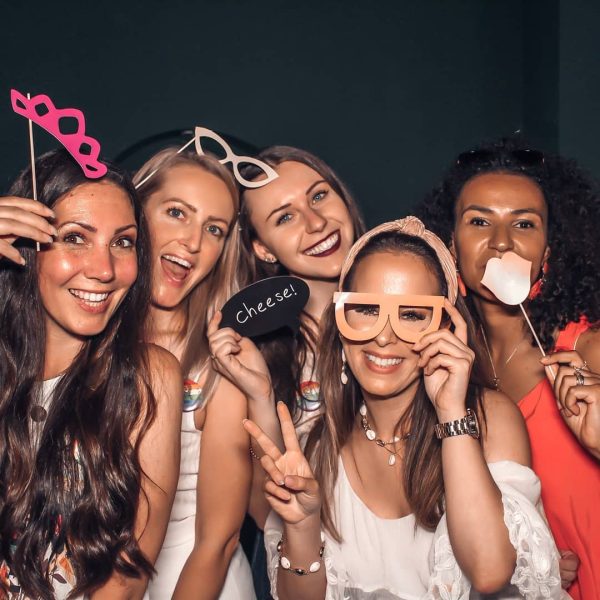
Absolutely! Every rental includes a selection of fun paper props to help your guests get creative in front of the camera. You don’t need to return these after your event. You’re also welcome to bring your own props and accessories to give your photos a personal touch.
Does KRUU provide or sell photo booth backdrops?
We don’t currently provide backdrops. Many customers prefer to use an existing wall or a suitable background at their event venue. If you’d like to use a separate backdrop, we recommend choosing one that’s at least 8 x 8 feet. The ideal size depends on the available space and where you position the photo booth. For the best results, we recommend that guests stand approximately two to three feet in front of the booth.
Booking, Delivery and Setup
When do I need to return the photo booth?
Returning your KRUU Photo Booth is straightforward. You’ll find a prepaid UPS return label inside the shipping box. Simply pack the equipment back into its original packaging and drop it off at a UPS Store. The photo booth must be returned by 11:59 AM on the first business day after your event. You can also arrange a UPS pickup if that’s more convenient. Please make sure someone is available at the delivery address between 9 AM and 6 PM. The packed photo booth must also be clearly visible outside so the driver can collect it.
How do I set up and take down the photo booth?
Setting up your KRUU Photo Booth is quick and easy. You don’t need any technical experience or special tools. We’ll send you detailed instructions by email before your event. You’ll also find a QR code on the package that takes you directly to the setup guide. Follow the simple steps and your photo booth will be ready to use in just a few minutes. When your event is over, simply pack everything back into the original box for return shipping. If you run into any problems, our US-based Customer Care team is happy to help.
How much space does the photo booth need, and how far away should guests stand?
The KRUU Photo Booth has a compact design and doesn’t take up much floor space. For the best photo results, we recommend that guests stand approximately two to three feet away from the camera. You’ll also need access to two electrical outlets nearby so the equipment can be connected conveniently.
Do I need technical knowledge to use the photo booth?
Not at all! The KRUU Photo Booth is designed to be easy for everyone to use. We provide clear instructions before your event, and you can also access the setup guide using the QR code on the package. Once everything is connected, guests can operate the photo booth directly through the touchscreen. If you need assistance at any point, just contact our Customer Care team.
Can I contact someone if I have trouble setting up or using the photo booth?
Of course. We’re here to make sure everything goes smoothly. After completing your booking, you’ll receive the contact details for our Customer Care team. You can reach us by phone, text or email if you have questions about setup, operation or troubleshooting.
Is there a time limit on how much I can use the photo booth?
No! Your rental covers the entire event day, so you can use the photo booth as often as you like during your rental period. With the Basic and Premium packages, you receive enough printing materials for many hours of photo booth fun. Once the printing materials run out, you can still continue taking digital photos.
Photos and Printing
Can I print individual photos instead of photo collages?
Yes, but the single-photo option is exclusive to the Premium package. With Premium, you can switch between individual photos and collage layouts during your event, provided you’ve selected both layout types in advance. One of your selected designs must be the single-photo layout. If you’ve already booked the Lite or Basic package, you may be able to upgrade for an additional fee. You can make changes in your customer portal up to seven days before your photo booth is shipped. If you’d like to create a custom design, you can download our KRUU template and use it to prepare your own layout.
Can I delete photos from my event gallery?
Yes. Once your photo booth has been returned and your online event gallery is available, you can delete photos you no longer want to keep.
Can I choose different designs for my printed photos?
Yes! You can personalize the appearance of your photo prints by choosing from the available designs in your customer portal or creating your own using our KRUU template. The number of available designs depends on your package. Lite and Basic each include one selected print layout, while Premium lets you choose two different designs. Make sure your design is finalized before your photo booth is shipped so everything is ready for your event.
How do I create a photo collage?
Creating a collage is simple. After the first picture is taken, the touchscreen displays a preview of your collage and shows how many more photos are needed. Tap the camera icon to take the next picture. The countdown starts automatically. You can preview each photo, apply filters, confirm the result or delete it and try again. Repeat the process until your collage is complete. The photo booth guides you through every step.
How many photos can I take with the photo booth?
With the Basic and Premium packages, we include enough printing materials for more than 20 hours of photo booth use. That’s plenty for most events, and it’s unlikely you’ll run out. If you’re planning an especially large celebration and would like extra printing materials just in case, you can purchase additional supplies from KRUU.
Are my photos saved digitally?
Yes! All photos taken with your KRUU Photo Booth are uploaded to your password-protected gallery in the KRUU App after the photo booth has been returned to our fulfillment center and processed. You’ll be able to view, download and share your photos once your gallery is ready.
Do I need a USB stick or another storage device?
No. There’s no need to bring a USB stick, memory card or other storage device. Your photos are uploaded to your secure KRUU App gallery after your event. Please don’t insert external storage devices, such as USB sticks or SD cards, into the photo booth or printer unless our team specifically asks you to.
When will my photos be available in the KRUU App?
Once we receive your returned photo booth at our fulfillment center, we’ll process and upload your photos. Your online gallery will normally be available within seven days, and often sooner. We’ll send you an email as soon as your pictures are ready. You can then access your gallery to view, download, share and print your photos. Your photos are stored in the gallery for three months.
Are the printed photo strips already cut?
That depends on which package you’ve chosen. The Premium photo booth uses a professional printer that automatically cuts your prints. With the Basic package, prints are produced uncut, so you’ll need a pair of scissors if you want to separate individual photo strips.
What is Instant Pic Download?
Instant Pic Download lets your guests save their photos directly to their smartphone while using the photo booth. After taking a picture, guests can scan the QR code displayed on the photo booth. This opens the KRUU App, or the App Store if they haven’t installed it yet, and allows them to save the picture to their phone. To use this feature, guests need the KRUU App, camera access, an active Wi-Fi connection to the photo booth and location access. If someone doesn’t scan their QR code straight away, it can still be accessed later through the photo booth gallery.
The KRUU App
What is the KRUU App?
The KRUU App is your free companion for your KRUU Photo Booth rental. It brings all your event memories together in one convenient place. You can use the app to access your online photo gallery, browse pictures, like and comment on your favourites, and download individual photos. Guests can also upload pictures directly from their smartphones. The app gives you access to useful booking features too, including your photo layouts and return shipping label.
What can I do with the KRUU App?
The KRUU App helps you get more out of your photo booth experience, before, during and after your event. Before your celebration, you can use the app to manage your booking and prepare your personalized photo layout. During the event, you and your guests can upload smartphone pictures to the live gallery, browse new photos and interact through likes and comments. After the event, all photos taken with the KRUU Photo Booth and pictures uploaded by your guests are collected in one central gallery. You can also find your return shipping label in the app.
Where can I download the KRUU App, and does it cost anything?
The KRUU App is completely free to download and use. You can find it in the Apple App Store for iPhone and iPad or in the Google Play Store for Android devices.
How do I share my photo booth pictures with my guests?
You can share your event gallery through the KRUU App or your customer portal. Open the settings and activate photo sharing after confirming that you have the necessary consent from the people appearing in the pictures. Once you’ve saved your settings, you can share the event access code with your guests through the app, email, WhatsApp or a direct link. Please note that your pictures will only become available for sharing after the photo booth has been returned to our fulfillment center and the gallery has been uploaded.
When will my photos appear in the app?
Your photos will be uploaded once we receive and process your returned photo booth at our fulfillment center. Your gallery should be available within seven days of its arrival, and we’ll automatically send you an email as soon as your pictures are ready to view and share.
How long are my photos stored in the KRUU App?
Your photos are stored in the KRUU App free of charge for three months. During this period, you can access and download them whenever you like. If you’d like to keep your gallery available for longer, extended storage may be available for an additional fee. Just contact our Customer Care team for more information.
Who can see my photos and personal data?
Your photos and personal data are yours. We take privacy seriously and protect your information in accordance with applicable data protection standards. Your online gallery is password-protected, and you decide who gets access by sharing your event code or gallery link. This means you stay in control of who can view and enjoy your event memories.
Can I use the KRUU App for events other than weddings?
Absolutely! The KRUU App isn’t just for weddings. You can use it for birthdays, graduation parties, anniversaries, corporate events and pretty much any occasion where you want to collect and share memories.
What should I do if I have problems with the KRUU App?
If you have trouble using the app or have any questions, our Customer Care team is happy to help. You can contact us for assistance. You can also leave feedback through the app’s rating feature. Your comments help us improve the experience for everyone.
Technical Questions
Which printer is included with each photo booth package?
The printer depends on the package you choose. The Lite package is our digital-only option and doesn’t include a printer. The Basic package includes a Canon Selphy printer, which is suitable for standard photo booth prints. The Premium package comes with a professional high-speed DNP printer. It offers a wider selection of print formats, with 32 available layout options. You can select your preferred two formats before your photo booth is shipped.
How do I take a picture with the KRUU Photo Booth?
Taking pictures is easy. The KRUU Photo Booth has a 10-inch touchscreen that lets you control the entire photo-taking process. Simply follow the instructions on the screen to start a photo session. Once your pictures have been taken, you can preview them and decide whether to keep them or try again.
What kind of camera does the KRUU Photo Booth use?
Our photo booths use high-resolution cameras to capture clear, detailed pictures. Depending on the model, this may be a modern Full HD camera or a DSLR camera.
Can I use the photo booth in a dark room?
Yes! The KRUU Photo Booth has a built-in professional flash, so you don’t need to provide additional lighting. The flash produces soft, indirect light to help create bright and flattering photos, even in darker venues. You can also adjust the flash brightness directly through the photo booth settings to get the look you prefer.
How big is the photo booth screen?
The KRUU Photo Booth features a 10-inch touchscreen display. It allows you to take pictures, navigate the settings and control the photo booth without the need for separate buttons or wired camera triggers.
What is the high-speed photo printer?
The Premium package includes a professional DNP printer designed for fast, reliable printing at larger events. It can produce a photo print in approximately 20 seconds and has a larger paper and material capacity than a standard printer. This means fewer interruptions and less frequent refilling during your event. As the printer is a professional device, we recommend checking the instructions sent by email or available through the QR code before your event. This will help you change the paper and printing materials quickly if needed.
How big and heavy is the shipping box?
The shipping box depends on the photo booth package you choose.
- The Lite and Basic packages arrive in a box measuring approximately 27 x 15 x 14 inches and weighing around 35 lbs.
- The Premium package comes in a larger box measuring approximately 39 x 15 x 14 inches and weighing around 46 lbs.